For Bands
Transpose a song into a different key
Open the song and use the transpose buttons — every chord shifts together, up to twelve semitones in either direction.
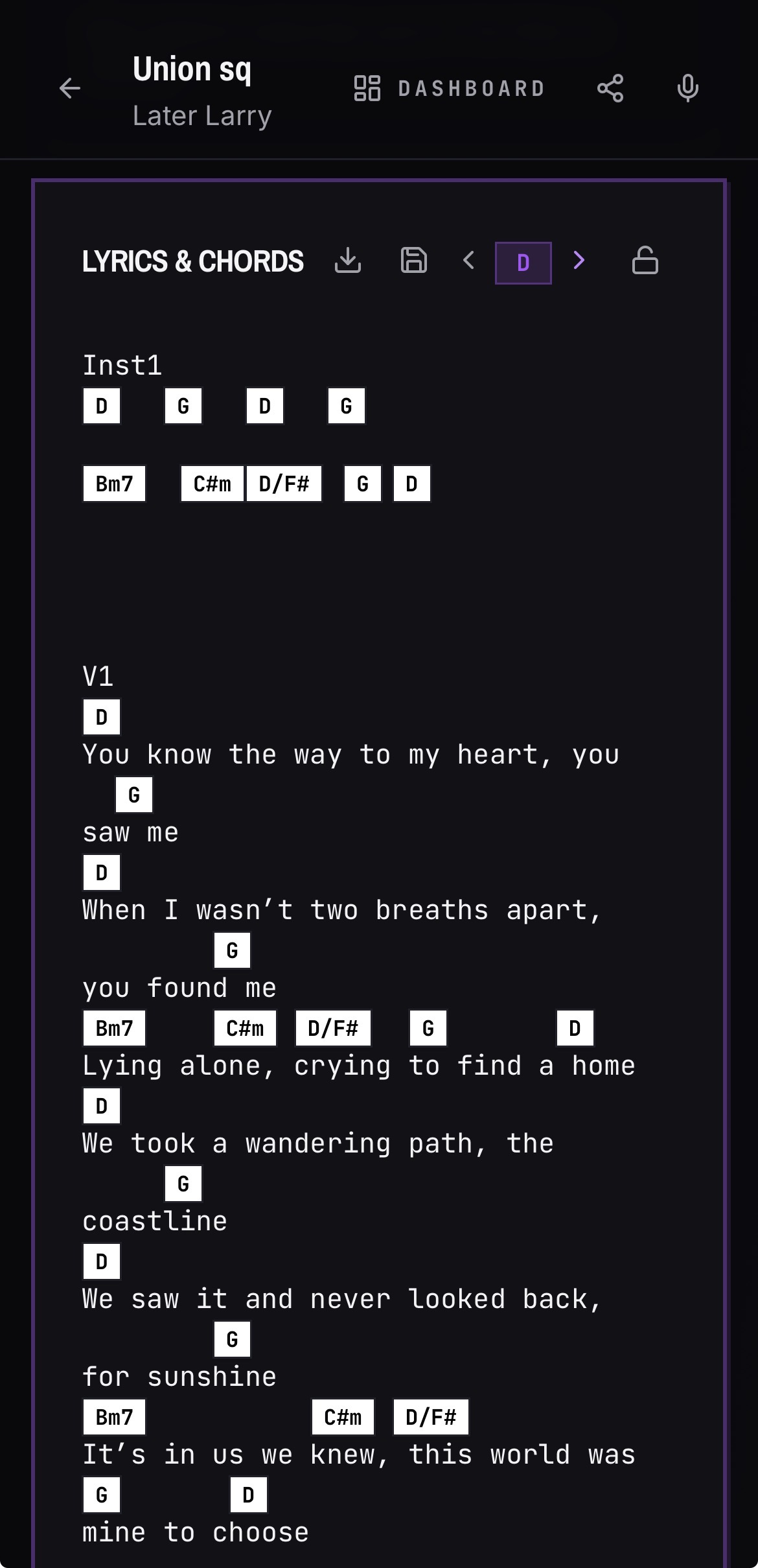
- 01Open a song that has chords.
- 02Use the transpose up or down control.
- 03Every chord shifts by the same interval and stays aligned over the lyric.
- 04The key badge updates once the song has a root key set.
Auto-scroll the lyrics while you play
- 01Leave edit mode so the song is in its read-only view.
- 02Find the auto-scroll bar under the lyrics and press play.
- 03Drag the speed slider until the scroll matches how you play the tune.
- 04Scroll with your thumb at any time and auto-scroll pauses itself.
Good to know
- Slash chords such as D/F# transpose the chord and the bass note together.
- Your auto-scroll speed is remembered, so the next song starts at the same pace.
- On a public shared song link, transposing only affects the viewer — your band's stored version is unchanged.