For Venues
Build your booking form and put it on your website
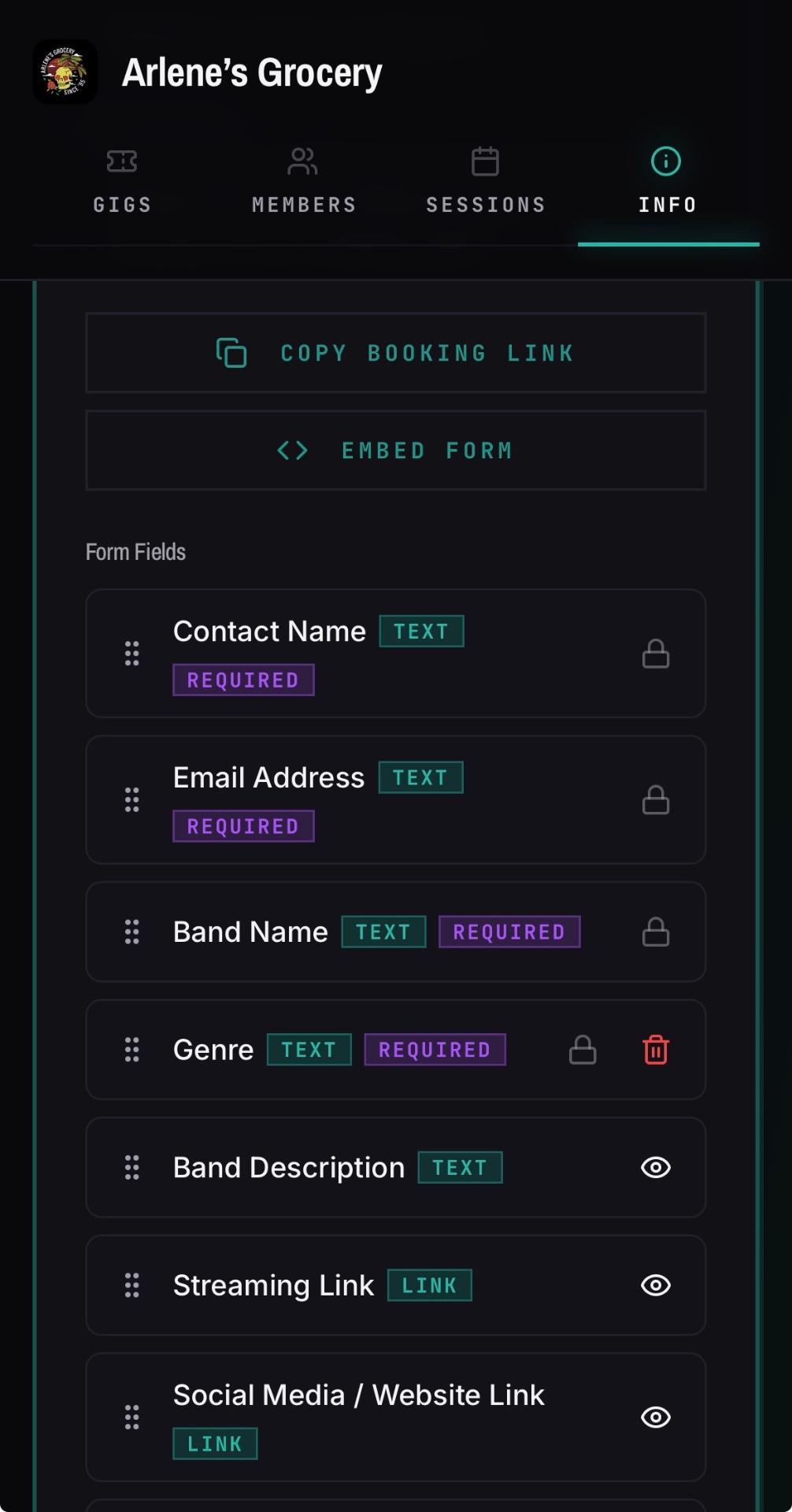
Open your venue's Info tab and scroll to Form Fields to build the form, then use the Copy Booking Link button or the Embed Form button to share it.
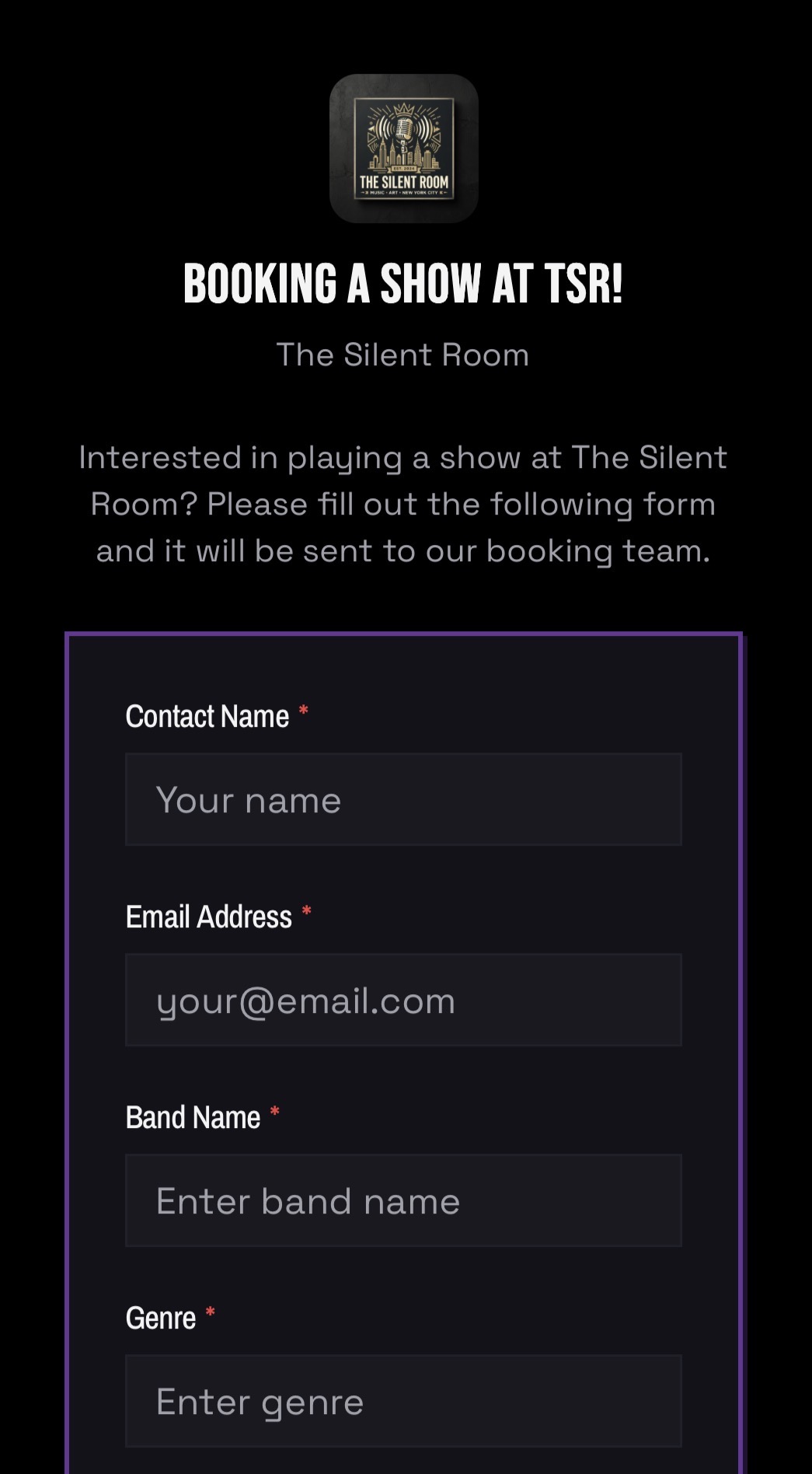
Build the form
- 01Open your venue and go to the Info tab.
- 02Scroll to Form Fields.
- 03Add any custom fields you need.
- 04Hide fields you do not need with the eye icon, and drag fields into the order you want.
Share or embed it
- 01Tap the Copy Booking Link button for a direct link you can send to bands.
- 02Tap the Embed Form button for a snippet you can paste into your own website.
- 03Publish your page. The embed sizes itself to its container.
Good to know
- Core fields like Contact Name, Email Address and Band Name are locked in place so every request is usable.
- The embed has a transparent background so it inherits your page's own styling.