B
    BANDANA
    Get started

    For Venues

    Style your public pages and embeds

    Open your venue's Info tab and find the Public Page Styling card, then set background colors, accent colors, and a font combination. Public pages and embeds pick it up.
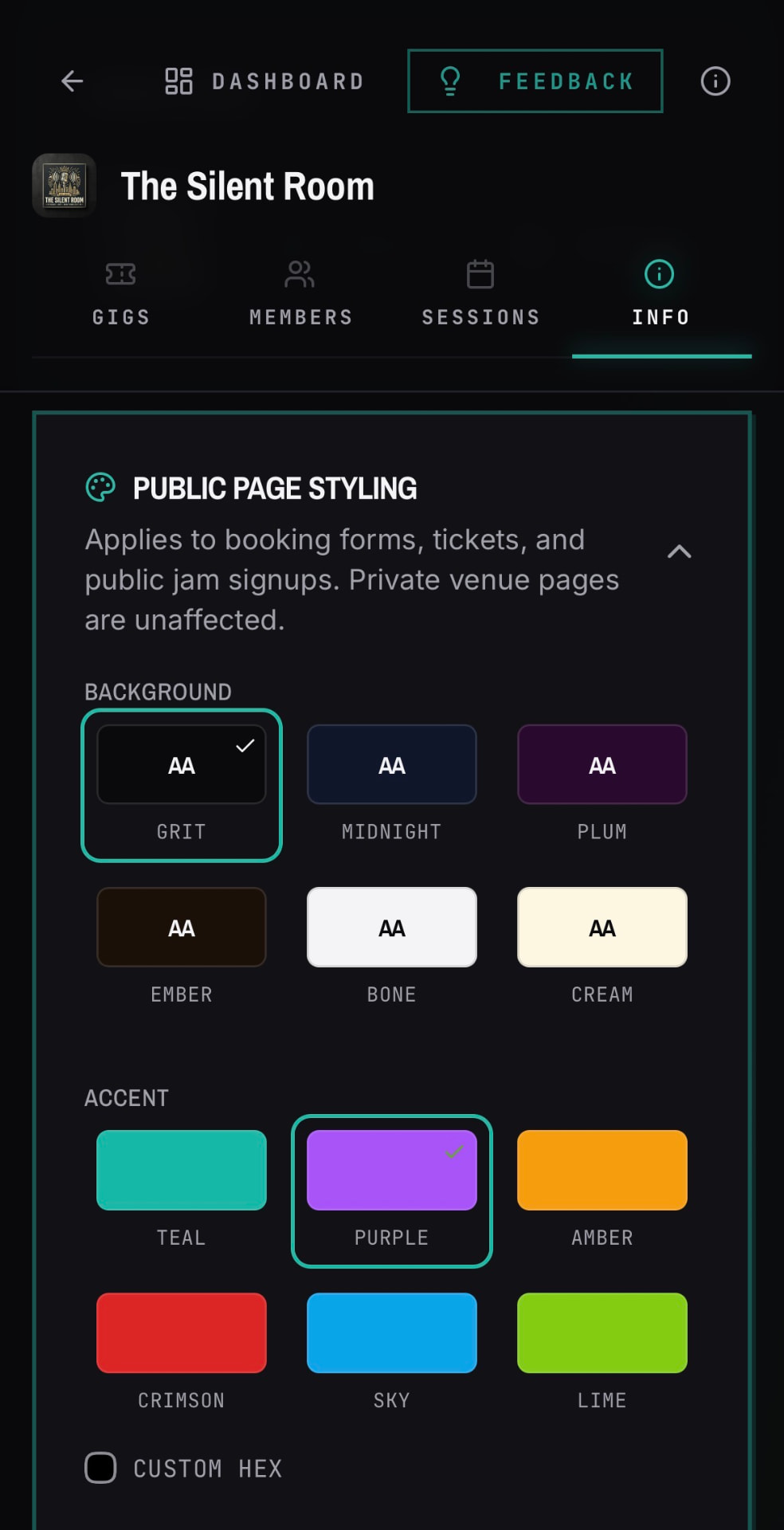
    Public page styling card in a venue's Info tab with background, accent, and font choices
    Pick the background, accent color, and fonts your public pages and embeds use.
    1. 01Open your venue and go to the Info tab.
    2. 02Scroll to the Public Page Styling card and expand it.
    3. 03Choose your background color, accent color, and font pairing.
    4. 04Tap the Save button. Public ticket pages and website embeds use it immediately.
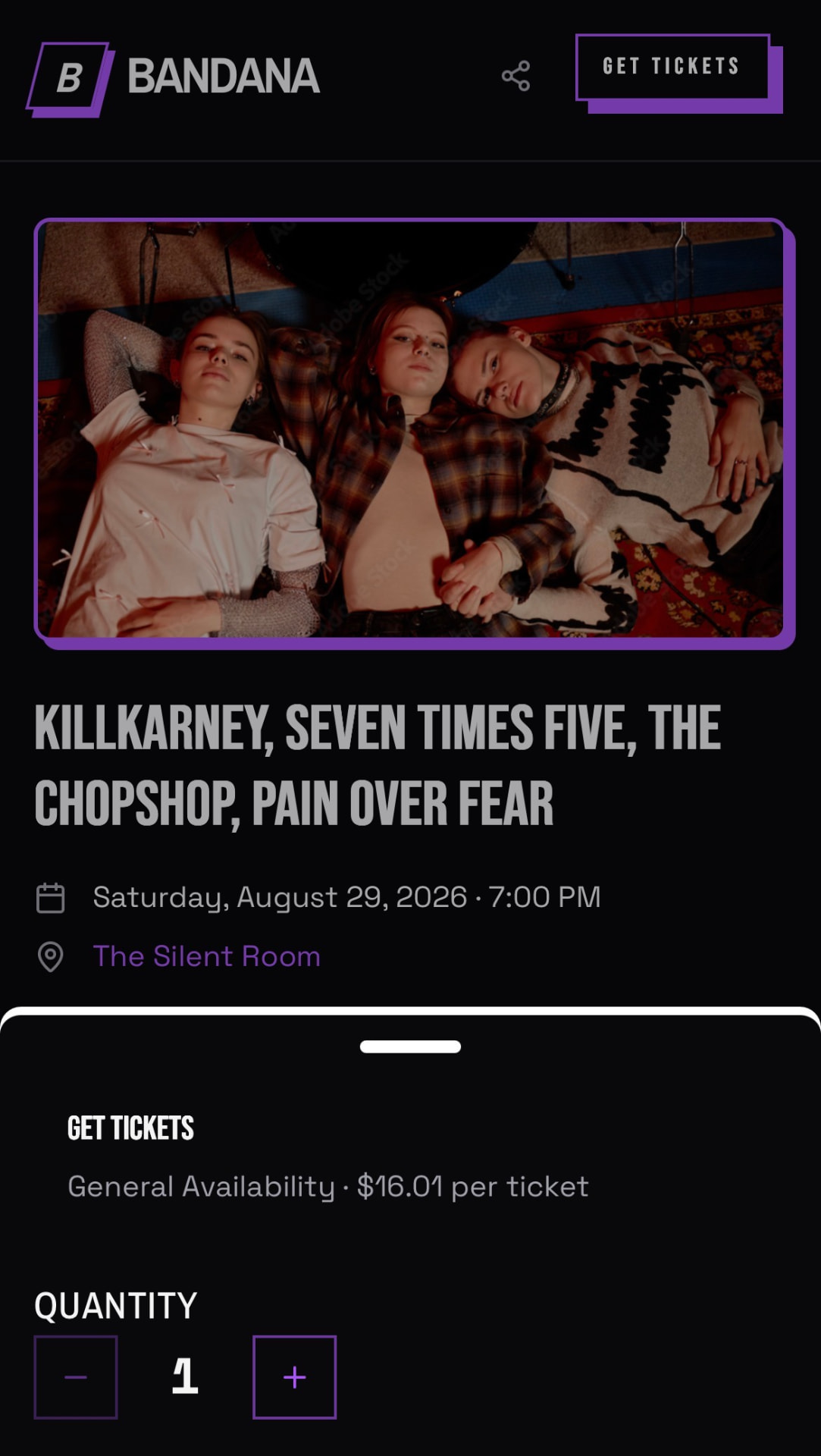
    A live public BANDANA tix ticket page styled with a venue's colors
    The public page carries your venue's colors and fonts.

    Free to start. No card, no trial clock.

    BANDANA is free for bands and venues. Sign in with a magic link or Google and bring your bandmates along.

    Log in or Create Account