For Venues
BANDANA tix: selling tickets
BANDANA tix is available to every venue. Tickets are sold from a page you design, with payouts going to your own connected Stripe account and a flat 25 cent BANDANA fee per ticket.
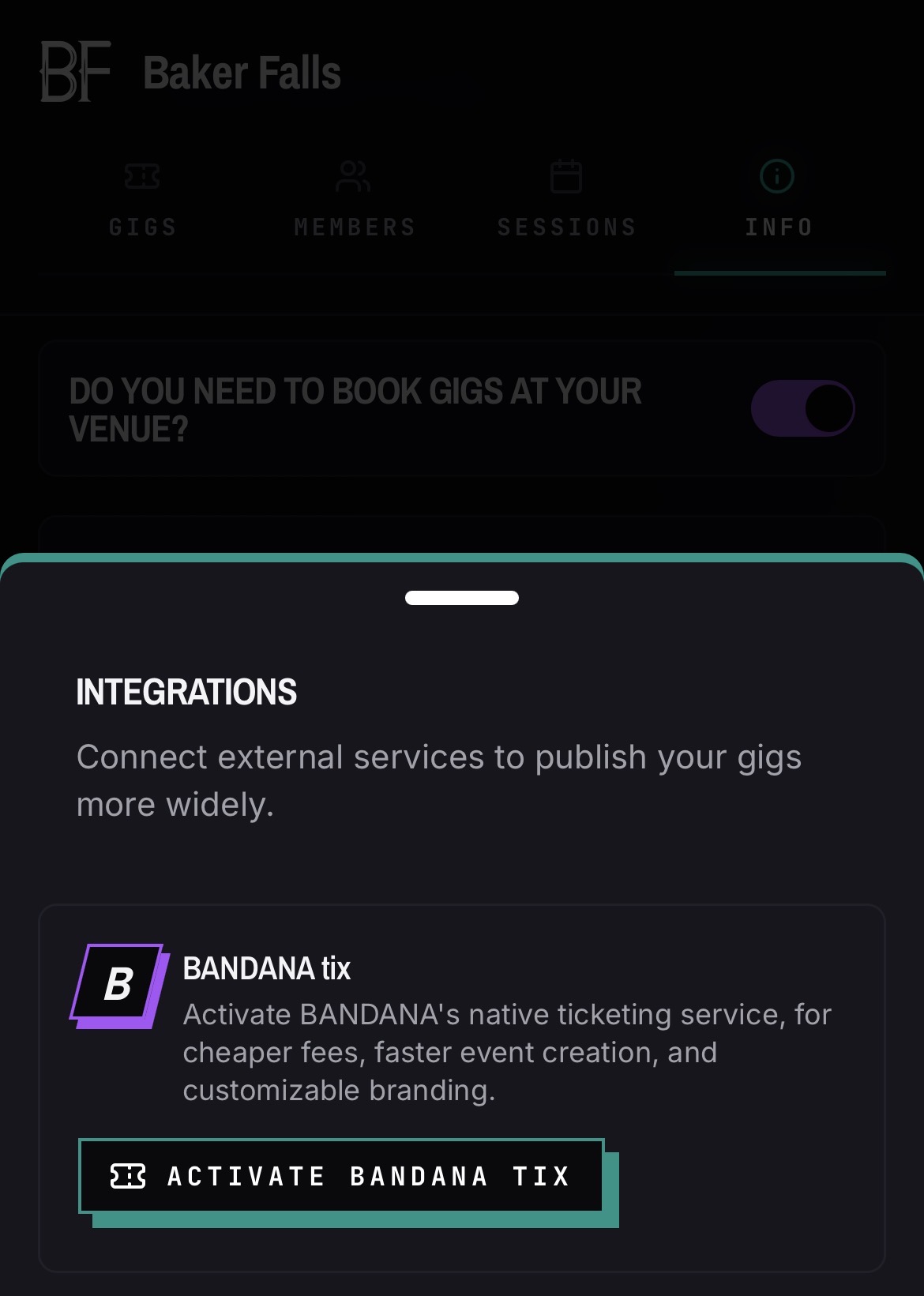
Activate BANDANA tix from the Integrations section on your venue Info tab, then connect Stripe to start selling.
Connect payouts
- 01Open your venue and go to the Info tab.
- 02Open the Integrations section and tap Activate BANDANA tix.
- 03Start Stripe onboarding and complete it in the window that opens.
- 04Return to BANDANA — your venue refreshes its status and shows charges as enabled.
Build the ticket page
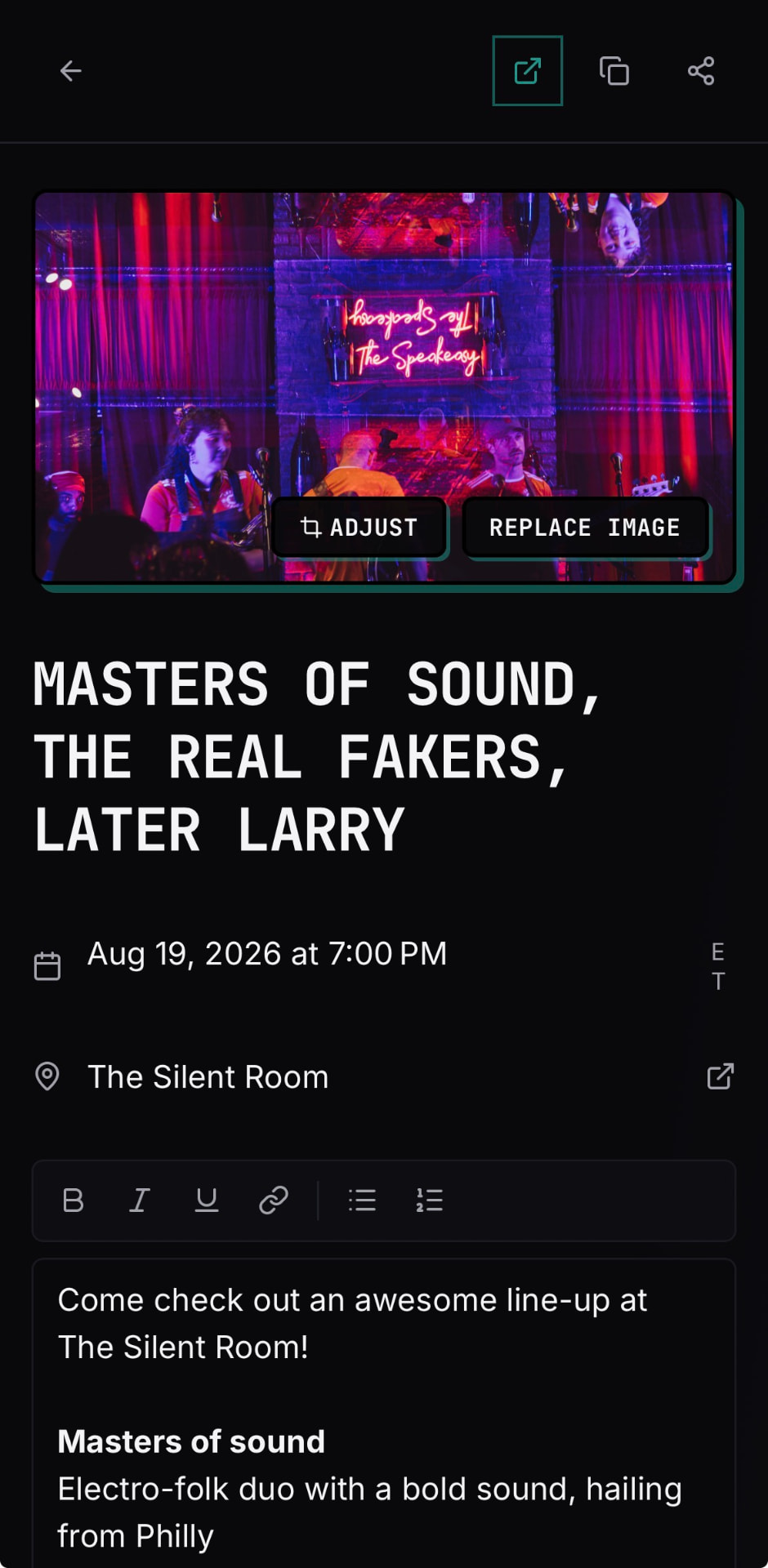
- 01Create a ticket, optionally connected to an existing event.
- 02Set a hero image for the ticket page — choose from the photos bands submitted on the gig page, or upload your own — and drag to position it.
- 03Write the description in the rich text editor. Event-connected tickets pre-fill descriptions from the bands on the bill. You can override the pre-filled description without changing the underlying gig page.
- 04Set the price, quantity, and the on-sale details.
Choose how fees are handled
- 01Open the pricing settings on the ticket.
- 02Choose absorb to keep the listed price the buyer's total, or pass on to add fees at checkout.
- 03The breakdown shows Stripe's rate for your country plus BANDANA's 25 cents.
Sell and track
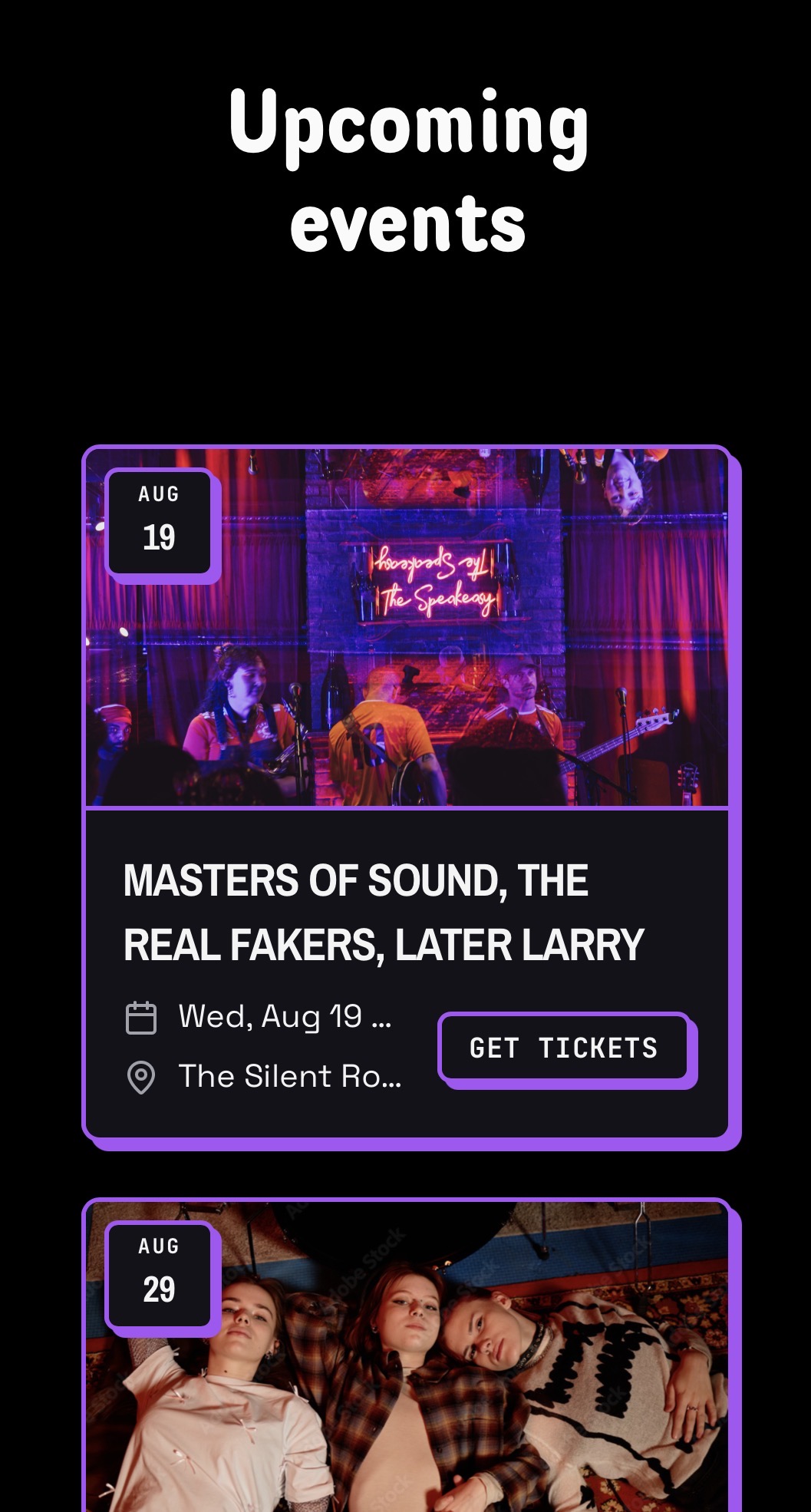
- 01Share the public ticket link, or embed the ticket or your full event calendar on your website.
- 02Sales counts update on your venue and event pages.
- 03Buyers get a confirmation email with the show details in your local time.
Good to know
- Buyers never see how many tickets are left unless they request more than are available.
- Refunds issued in Stripe are reflected back in BANDANA.
- The venue owner can update ticket defaults from the Defaults button on the venue's Tickets page. Defaults cover ticket name, type (paid or free), price, capacity, fee handling (absorb or pass on), description, and disclaimer. When you save, you can optionally apply these values to existing upcoming tickets.
- If a ticket is connected to a gig, the lineup and details from the gig page are the starting point. The ticket page can customize its own hero image and description.
- Emails are activity-based: a completed purchase sends the buyer a confirmation, and putting tickets on sale for a gig emails the band admins on the bill. See the full list in Emails BANDANA sends you.